Book a demo

Load Balancing

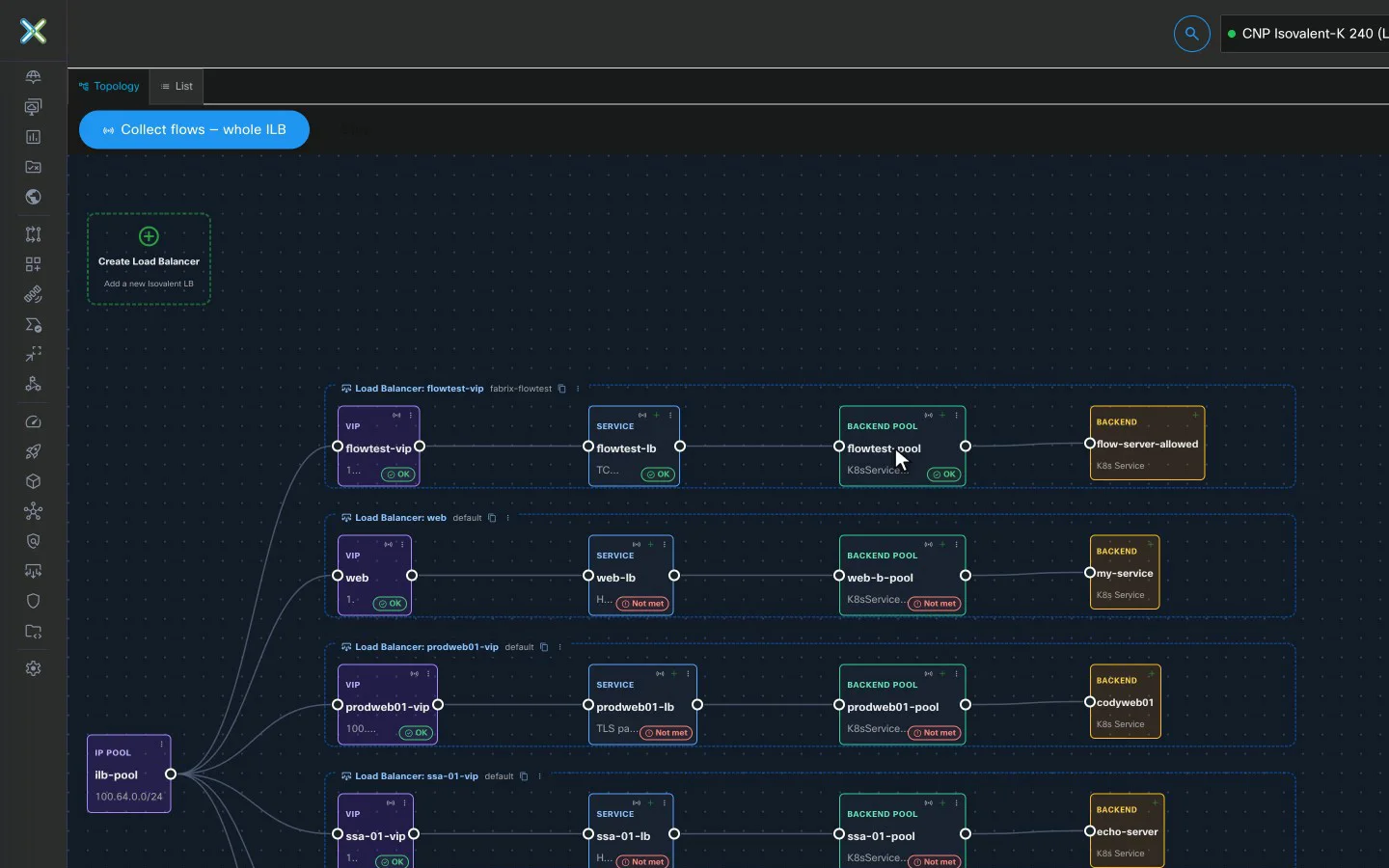
Isovalent load balancing, with the flows on screen.

Create VIPs, services and backend pools with a guided wizard, then watch traffic move on a live canvas, with the reason for every dropped flow.

Fabrix Load Balancer topology on an Isovalent cluster: an IP pool feeding VIPs, services, backend pools and backends for each load balancer

Load balancing in the console

For you
Off-menu
TopologyLive map of every workload, with Hubble flows on the edges.
Live flows: forwarded / droppedCreate Allow/Deny policy prefilled from this flowStack layers down to the Physical Underlay
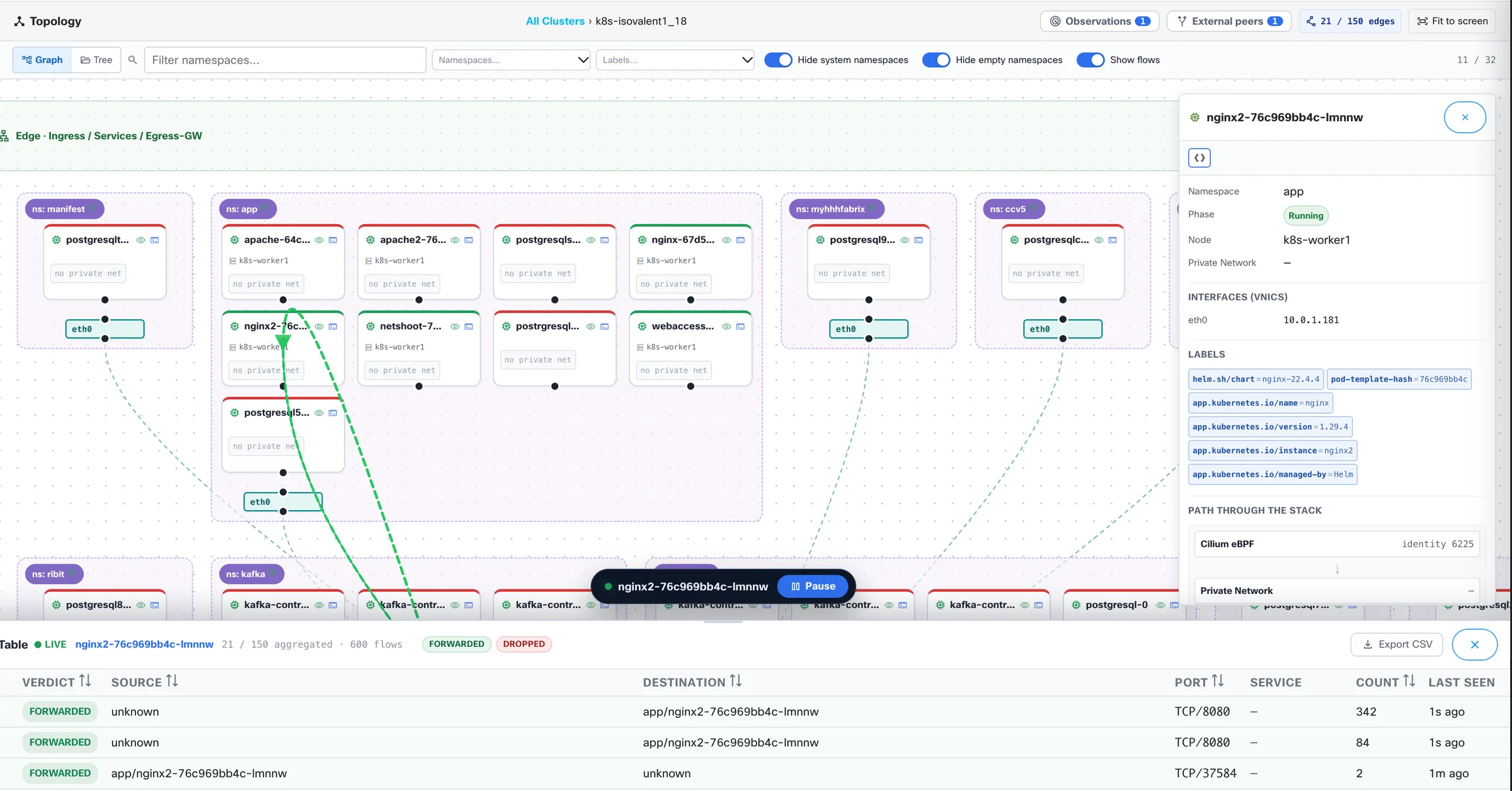
Fabrix Topology: workloads grouped by namespace with a live Hubble flow drawn as a green dashed edge, a node inspector, and a flow table of FORWARDED verdicts
For you
Off-menu
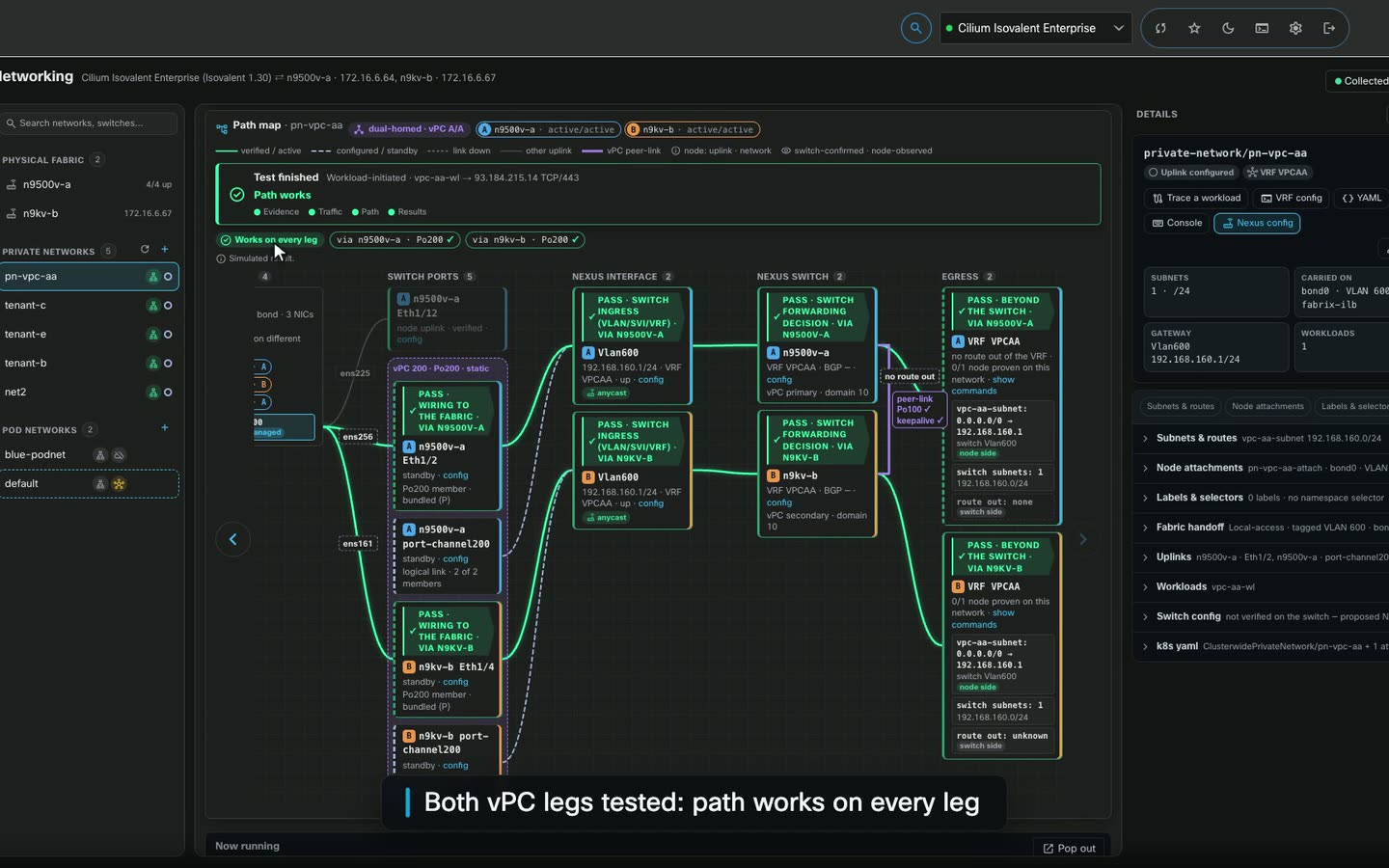
Network TestProve connectivity hop by hop.
Observe / probe / AnalysisTCP · UDP · ICMPEvidence per hop
Screen recording of a Fabrix Network Test on a dual-homed private network: both vPC legs are tested and the path works on every leg
For you
Local
Load BalancerIsovalent load balancing with a live flow canvas.
VIPs and poolsLive flow canvasBGP advertisement
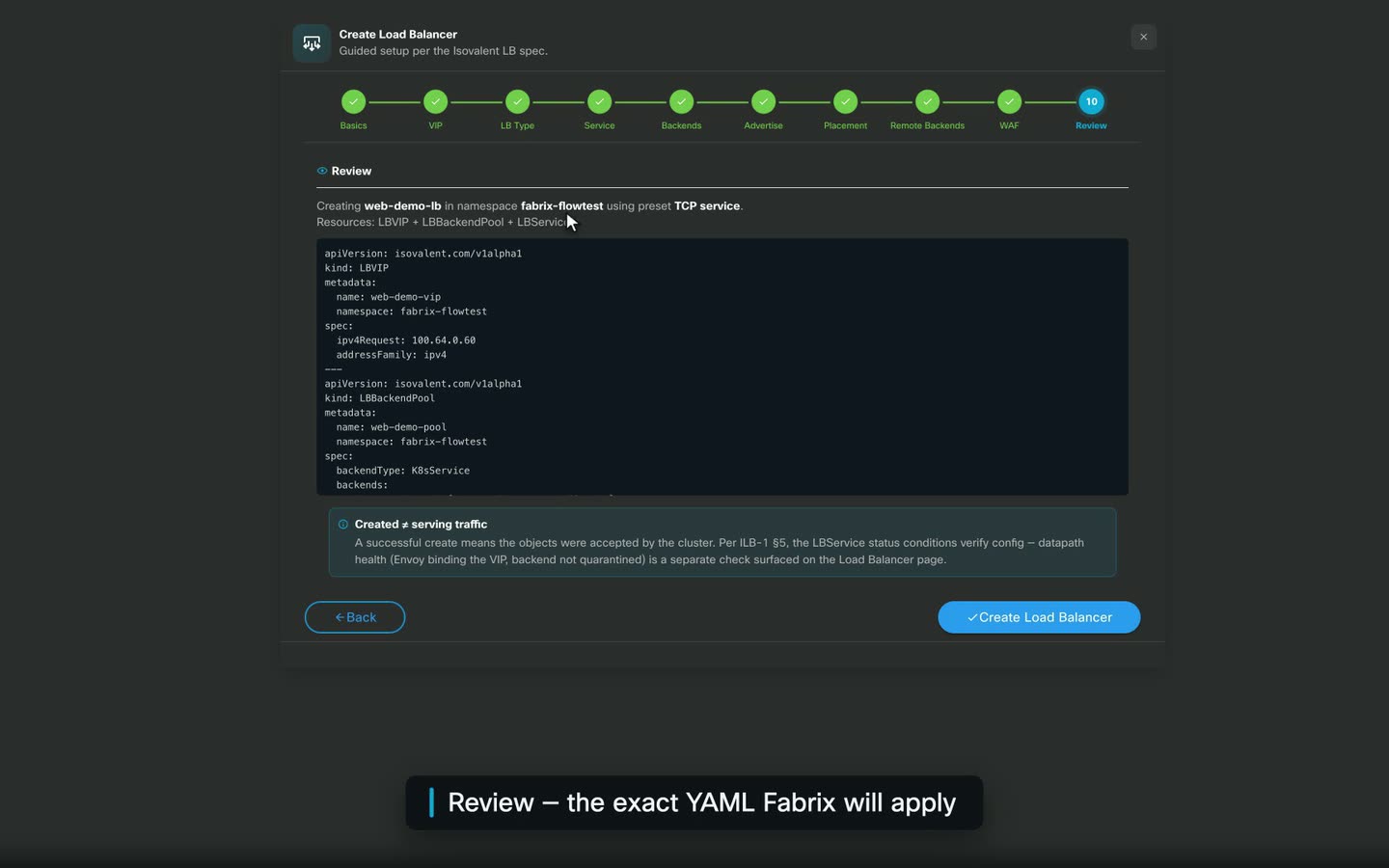
Screen recording of the Fabrix Create Load Balancer wizard: the review step shows the exact YAML for the VIP, backend pool and service, then it is created and goes live

Deep dive

Build it, watch it, protect it.

  1. Topology view

    Watch traffic move through the load balancer.

    A live canvas draws traffic as animated flow dots. Record flows, open the Flows panel to see why a flow was dropped, and inspect any node.

    • Live canvas with animated flow dots
    • Flow recorder
    • "Flows" panel with drop reasons
    • Node inspector
  2. Create Load Balancer

    A guided wizard, from the VIP to the health check.

    The Create Load Balancer wizard walks through four steps, with TLS settings, BGP advertisement and the algorithm along the way. Clone an existing load balancer to start the next one.

    • Steps: "Basics", "IP Configuration", "Backends", "Health Check & Load Balancing"
    • TLS settings, BGP advertisement, algorithm
    • Rate limits, zone-aware failover, multi-cluster backends
    • "Clone Load Balancer"
  3. List view · WAF

    Every load-balancing object in one place, WAF included.

    The List view puts each object type on its own tab. Each WAF policy either logs matching requests or blocks them.

    • Tabs: "VIPs", "Services", "Backend Pools", "Deployments", "WAF Policies", "IP Pools"
    • WAF: "Monitor — log only" or "Enforce — block matching requests"

Fine print

  • Isovalent datasources only; available when the cluster passes the load-balancer readiness check.

See it live

See a load balancer built and its flows traced, live.